
Considerations for Long Running Jobs in Ephemeral Environments
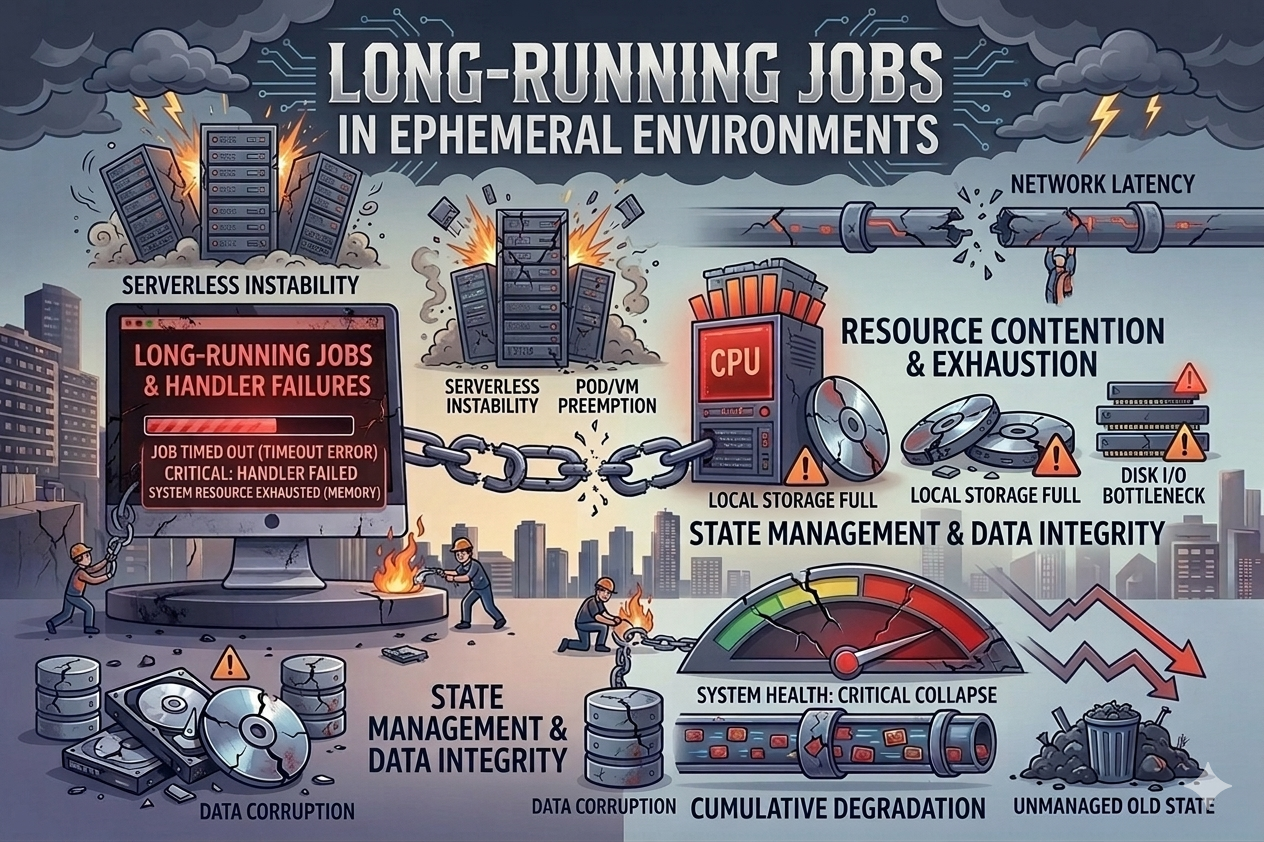
I have a pretty ambitious weekly job that calculates demand scores and pricing estimates for 100,000’s of items. It uses a mix of ML models and some gnarly transformations — pulling in historical sales data, active listings, sentiment signals, and a bunch of other sources to spit out updated valuations across different variations and conditions. The whole thing takes somewhere between 10 and 12 hours to run.
For some time, I was running this on my laptop. That meant keeping it open and active the entire time — no closing the lid, no letting it sleep, no taking it anywhere. I wanted to move all of this off my machine and into an environment where I didn’t have to babysit it.
Cloud hosted environments like AWS are great for this — you spin something up, run your workload, and tear it down when you’re done. Cheap. But the tradeoff is these environments are temporary. I’ve been burned by this — I kicked off the job on a Friday night, checked in Saturday morning, and the container had been evicted just before hour 9. Nothing was saved. I had to restart from scratch and just hope it wouldn’t happen again.
That got me to rethink how the whole thing was put together.
What is an ephemeral environment?
An ephemeral environment is basically any compute that’s designed to be thrown away — containers, spot instances, Step Functions, even AI coding agent sessions like Claude Code routines or Cursor automations. You spin them up, run stuff, and they go away (or get killed).
The problem is they don’t promise your process will finish. Kubernetes pods get evicted when nodes run low on resources. Step Functions have state transition limits. Agent sessions can just lose their connection mid-run. If your job is one big script that runs for 12 hours, you’re gambling every time you hit go.
Break the work into batches
The biggest thing that helped was breaking the job into smaller pieces instead of treating it as one giant run.
I split the 100,000+ items into batches — maybe 500 or 1,000 items each — where each batch can be processed on its own.
1
2
3
4
5
6
7
8
9
10
11
12
13
14
15
16
17
18
19
20
21
import pandas as pd
import os

def get_all_item_ids(input_file):
    df = pd.read_csv(input_file)
    return df['item_id'].tolist()

def create_batches(item_ids, batch_size=500):
    return [item_ids[i:i + batch_size] for i in range(0, len(item_ids), batch_size)]

def process_batch(batch, batch_num, output_dir="output/batches"):
    results = []
    for item_id in batch:
        result = calculate_demand_and_pricing(item_id)
        results.append(result)

    # write batch results to a csv
    df = pd.DataFrame(results)
    output_file = os.path.join(output_dir, f"batch_{batch_num:04d}.csv")
    df.to_csv(output_file, index=False)
    return output_file
Each batch writes its own output file. So if your environment dies after 150 of 200 batches, you’ve still got those 150 files with valid results.
Getting the batch size right took some messing around. I started with 100 items per batch, but writing all those tiny files and checking progress was adding up. Then I tried 2,000 and a failure wiped out 20 minutes of work instead of 2. I landed on 500 — each batch takes a few minutes, which feels like an acceptable amount of work to lose if things go sideways.
Checkpointing and resumability
But batching by itself doesn’t solve the restart problem. You also need to know which batches already finished so you can skip them next time — checkpointing.
Since the job runs in an ephemeral environment, it obviously can’t save files to my laptop. So I write batch outputs to S3. Any cloud storage works (GCS, Azure Blob, whatever) — the key thing is your storage needs to outlive your compute.
The checkpoint logic is dead simple — if a batch output file exists in S3, that batch is done. When the job starts up (or restarts), it checks the bucket, sees which files are already there, and skips those batches.
1
2
3
4
5
6
7
8
9
10
11
12
13
14
15
16
17
18
19
20
21
22
23
24
25
26
27
28
29
30
31
32
33
34
import boto3
import io

s3 = boto3.client('s3')
BUCKET = 'my-batch-jobs'
BATCH_PREFIX = 'pricing-job/batches/'

def get_completed_batches():
    completed = set()
    paginator = s3.get_paginator('list_objects_v2')
    for page in paginator.paginate(Bucket=BUCKET, Prefix=BATCH_PREFIX):
        for obj in page.get('Contents', []):
            key = obj['Key']
            filename = key.split('/')[-1]
            if filename.startswith("batch_") and filename.endswith(".csv"):
                batch_num = int(filename.replace("batch_", "").replace(".csv", ""))
                completed.add(batch_num)
    return completed

def run_job(input_file, batch_size=500):
    item_ids = get_all_item_ids(input_file)
    batches = create_batches(item_ids, batch_size)

    completed = get_completed_batches()
    print(f"Found {len(completed)} completed batches, {len(batches) - len(completed)} remaining")

    for i, batch in enumerate(batches):
        if i in completed:
            continue
        print(f"Processing batch {i + 1}/{len(batches)}")
        process_batch(batch, i)

    # combine all batch files into final output
    combine_batch_results()
You can kill it, restart it on a totally different machine, and it picks up where it left off.
One thing worth noting — the batch gets fully built in memory first, then uploaded to S3 as a single put_object call. So either the whole file makes it up there or it doesn’t. No half-written checkpoints to worry about.
1
2
3
4
5
6
7
8
9
10
11
12
def process_batch(batch, batch_num):
    results = []
    for item_id in batch:
        result = calculate_demand_and_pricing(item_id)
        results.append(result)

    df = pd.DataFrame(results)
    csv_buffer = io.StringIO()
    df.to_csv(csv_buffer, index=False)

    key = f"{BATCH_PREFIX}batch_{batch_num:04d}.csv"
    s3.put_object(Bucket=BUCKET, Key=key, Body=csv_buffer.getvalue())
Progress tracking
When something runs for hours, you want to know where it’s at. I’m already using S3 for the batch outputs, so I just write a progress file there too:
1
2
3
4
5
6
7
8
9
10
11
12
13
14
15
16
17
18
19
20
21
22
23
24
25
26
27
import time
import json
from datetime import datetime

def update_progress(batch_num, total_batches, start_time):
    elapsed = time.time() - start_time
    completed = batch_num + 1
    rate = completed / elapsed if elapsed > 0 else 0
    remaining = (total_batches - completed) / rate if rate > 0 else 0

    progress = {
        "completed_batches": completed,
        "total_batches": total_batches,
        "percent_complete": round(100 * completed / total_batches, 1),
        "elapsed_seconds": round(elapsed),
        "estimated_remaining_seconds": round(remaining),
        "last_updated": datetime.now().isoformat()
    }

    s3.put_object(
        Bucket=BUCKET,
        Key=f"{BATCH_PREFIX}progress.json",
        Body=json.dumps(progress, indent=2)
    )

    print(f"Progress: {progress['percent_complete']}% | "
          f"ETA: {round(remaining / 60)} minutes remaining")
I can check on it from anywhere — quick aws s3 cp to pull the progress file, or just look at the logs in CloudWatch. And when the job restarts after a failure, I can immediately see how much is left.
Parallelizing the work
Once I had batching and checkpointing working, the next obvious thing was running multiple batches at the same time. Since each batch is independent, this was actually pretty easy.
I went with Python’s concurrent.futures on a single machine — simplest thing that could work:
1
2
3
4
5
6
7
8
9
10
11
12
13
14
15
16
17
18
19
20
21
22
23
from concurrent.futures import ProcessPoolExecutor, as_completed

def run_job_parallel(input_file, batch_size=500, max_workers=4):
    item_ids = get_all_item_ids(input_file)
    batches = create_batches(item_ids, batch_size)
    completed = get_completed_batches()

    pending = [(i, batch) for i, batch in enumerate(batches) if i not in completed]
    print(f"Processing {len(pending)} batches with {max_workers} workers")

    with ProcessPoolExecutor(max_workers=max_workers) as executor:
        futures = {
            executor.submit(process_batch_atomic, batch, i): i
            for i, batch in pending
        }

        for future in as_completed(futures):
            batch_num = futures[future]
            try:
                future.result()
                print(f"Batch {batch_num} complete")
            except Exception as e:
                print(f"Batch {batch_num} failed: {e}")
With 4 workers, my 12-hour job dropped to about 3 hours. And since each worker writes its own checkpoint file, there’s no coordination needed — no overlap, no locking, nothing.
You could take this further and distribute batches across multiple containers with something like SQS. Push batch definitions onto a queue, have workers pull from it, and if a worker dies the message just goes back on the queue for another worker to grab. I haven’t needed to go that far though — multiprocessing on one machine has been plenty for my volumes. I’d only bother with distributed workers if I needed everything done in under an hour or if individual batches were too memory-hungry for a single box.
A few other things worth mentioning
“Hey Jay, aren’t you a data engineer? What about Airflow or Dagster or Prefect?” Sure, those are great for scheduling and managing complex pipelines. But they don’t magically make your code survive getting killed mid-run. If your Airflow task runs for 12 hours in one shot and the worker dies at hour 9, you’re in the same boat. You still need the batching and checkpointing inside the task itself. And for a single weekly job on a personal project, I really don’t want to deal with running and maintaining an orchestrator.
Retry logic within each batch is important too. Over a 10+ hour run you’re going to hit network timeouts and random transient errors — it’s just a matter of when. I use a simple retry wrapper with exponential backoff so if a single item fails, I retry that item instead of redoing the whole batch.
1
2
3
4
5
6
7
8
9
10
11
12
import time

def retry(func, max_attempts=3, backoff_base=2):
    for attempt in range(max_attempts):
        try:
            return func()
        except Exception as e:
            if attempt == max_attempts - 1:
                raise
            wait = backoff_base ** attempt
            print(f"Attempt {attempt + 1} failed: {e}. Retrying in {wait}s...")
            time.sleep(wait)
It also helps to make things idempotent. If a batch gets partially processed and then re-run, you want the output to replace the old one completely — not append to it. The S3 upload already does this since put_object just overwrites whatever was there before.
Where I ended up
My new setup for this job is a Cursor Automation:
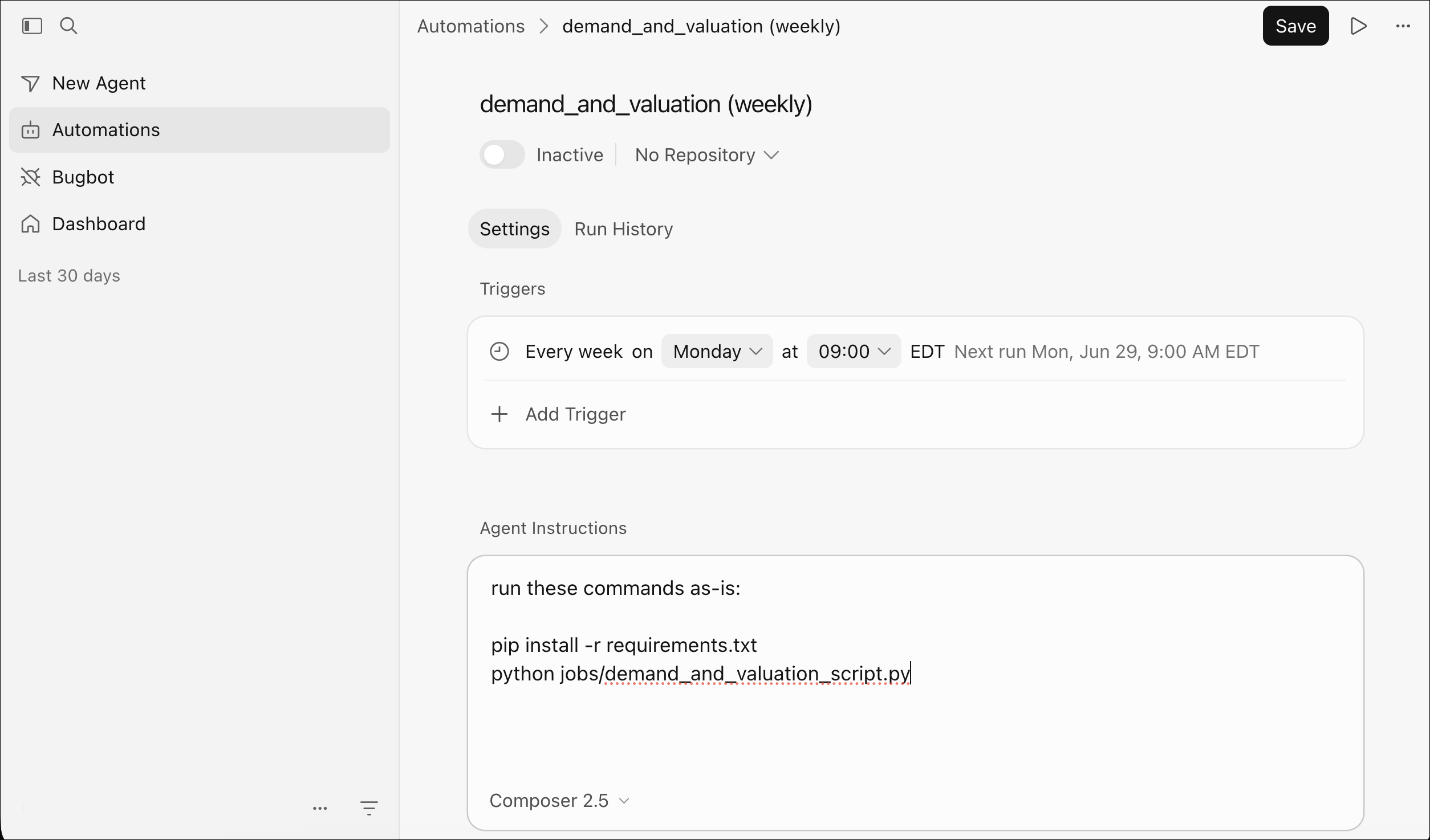
It is connected to a private GitHub repo and runs on a weekly schedule (using the cheapest model available) with a simple prompt:
1
2
3
4
run these commands as-is:

pip install -r requirements.txt
python jobs/demand_and_valuation_script.py
That’s it. No server to maintain, no infra to worry about. The automation spins up, runs the script, and goes away. If it dies halfway through, I just kick it off again and it picks up from the last completed batch.
Since I set this up, I’ve pretty much stopped thinking about the ephemeral environment problem. The job doesn’t care where it runs as long as it can talk to S3.